|
Tuesday, February 28, 2006 |
 ZSNES WIP February 27th Released ZSNES WIP February 27th Released
Posted by [vEX] @ 06:47 PM CET |  Comments: 1 | Comments: 1 |  SNES SNES
|
| • ALL: Fixed loading of SD F-1 Grand Prix Sample (uses sa-1). [Nach]
• ALL: DMA fix for Tetris Attack (and probably other games). [grinvader]
• ALL: Fixed typo, fixes SA-1 games. [pagefault]
• ALL: Changed NTSC sync value [pagefault]
• ALL: Removed EWJ2 hack [grinvader]
• W_S: Updated the Browser Launch code [Nach]
• W_S: Added a "Documentation" button in the about box [Nach, ipher]
• MOV: Movie encoding using mencoder!. [Nach]
• MOV: Rates other than 32KHz now recorded properly too. [Nach]
• MOV: Audio and Video files now saved in ZSNES launch directory [Nach]
• GUI: Added more movie options [Nach]
• GUI: Made error message appear if mencoder is not found [pagefault]
• PSR: Allow more than one per app [Nach]
• PSR: Overhauled Unified PSR. [grinvader]
• TOL: Updated source counter tool a bit. [grinvader]
• SRC: Directory /cvsroot/zsnes/zsnes/src/psrhead added to the repository [grinvader]
• SRC: Unused CL param dropped and cleanup. [grinvader]
|
 ipher's ZSNES WIP Site ipher's ZSNES WIP Site
 ZSNES WIP February 27th ZSNES WIP February 27th
|
| |
|
Monday, February 27, 2006 |
 Gens32 Surreal 1.60 Released Gens32 Surreal 1.60 Released
Posted by [vEX] @ 03:07 PM CET | Comments: 0 | Genesis
|
| 1) Rewrite Super TV,more bright now.But the full screen's bug still not fixed,
You have to Press Alt+Return twice if it can not display full area.
2) Update CUPL.dll,Shing Force II chinese translation work fine now.
3) Bind down PowerUp,which a software to support update Online.From now on, you can get the latest Gens32 Surreal(especially WIP version) by just press PowerUp.exe'.
4) Update Rewind system.You have a chance to select the distance you want to rewind.
5) Update cheat system,you can edit the cheat with a text editor now,but not compatible with old versions.
6) Fixed some bugs in menu.
|
Gens32 Official Site
Gens32 Surreal 1.60
|
| |
|
Sunday, February 26, 2006 |
 RuMSX 0.40 Released RuMSX 0.40 Released
Posted by [vEX] @ 09:42 AM CET | Comments: 0 | MSX
|
| - Display driver (normal and hires) are completely rewritten. The new sprite-renderer includes also a completely changed coincidence detection. Games such as "Hydefos" or "Psycho World" are now running properly!
- Added "MSX2[b]" configuration with 256KB RAM in Slot 3-3, which is required by many disk-images. This is compatible to the Sony (HB-F700D) layout, that supports POKE-1,255 for running many games.
- Code is now optimized for Pentium Pro and higher.
- Major enhancements of the RuMSX core do now require at least a processor with 1 GHz (1.5GHz recommended)
- Added support for ROM-database including the RUMSXROM.EXE command-line utility for database maintenance. The initial database contains more than 500 known ROMs.
- "Harry Fox with Snow Demonking" did not run on MSX 2+ and MSX Turbo-R machines. This is now fixed!
- Incorrectly selected 16KB ROM-types (e.g. ASCII/16K) sometimes caused RuMSX to crash!
- Support of OPLL audio (MSX-Music, FM-PAC) slightly improved (notes should no longer 'hang').
- Support of video capture hardware slightly improved (video display is now scaled).
- Switched I/O (ports &H40-&H4F) did not work fully correct, therefore Kanji-modes 1+3 displayed filled blocks instead of proper characters (this bug was new since RuMSX v0.32).
- SCC+ access is now recognized (played as SCC sound).
- Added previously removed Hangul ROMs again.
- Added '/NoSoundOut' command-line option to disable annoying MSX sounds.
- Added "International (DIN)" font to locale settings. (provides the DIN "0" character)
|
RuMSX Official Site
RuMSX 0.40
|
| |
Mednafen 0.5.2 Released
Posted by [vEX] @ 09:39 AM CET | Comments: 0 | Multi System
|
| Modified the PCE code to only include header files that are needed.
Fixed a memory leak in the state saving code.
PCE: Closing HES music files will no longer produce battery-backed RAM files. x_x
Fixed a memory leak in the state loading code.
Reduced memory slightly in the text rendering code by using all the bits available in the array(instead of the lower bit of each byte) that tells if a glyph is available or not.
Modified the internal message display code to allocate and free space for the message being displayed, rather than using a rather small static array.
PCE: Fixed a small bug that would cause 1/75 second or less of the old CDDA track to play when switching to a new CDDA track.
PCE: Changed how reads from $0000 are handled, and made vblank occur slightly later in the frame, to fix Valis 1.
PCE: The CD reset function of $1804 now clears more variables, fixing problems with lockups when using the START+SELECT soft reset in the middle of a data read.
Finally fixed the endian conversion code so that save states(and netplay) are compatible between big-endian and little-endian systems.
**NOTE** Save states created in previous versions of Mednafen on big endian platforms(such as OS/X PPC) will no longer work in this version.
Removed the tech documentation from the source code distribution.
Truncated the ChangeLog to the first Nintencer release.
|
Mednafen Official Site
Mednafen 0.5.2
|
| |
 GnGeo and GnGeo2x 0.6.10 Released GnGeo and GnGeo2x 0.6.10 Released
Posted by [vEX] @ 09:36 AM CET | Comments: 0 | Neo Geo
|
| . GP2X: Fix miexchng slowdown
. Memcard support (only one available, saved in ~/.gngeo/memcard )
. Unibios settings are now saved
. GP2X: Now, gngeo will create a gfx dump automaticaly if the selected rom is too large to fit in memory. See README.GP2X for details.
. GP2X: Add overclocking control. ie. --cpu_speed 266
. GP2X: Suppress --no-selector option. I replace it with --frontend= where command is the frontend that gngeo have to relaunch when it exit. By defaut --frontend=gngeo2x.gpe so that gngeo restart Selector at exit.
. Update the romrc with some newer hacked roms.
. GP2X: Sound is now complete in garou, last blade 2 etc.
|
GnGeo Official Site
GnGeo 0.6.10
GnGeo2x 0.6.10
|
| |
 Dualis Release 15.1 Released Dualis Release 15.1 Released
Posted by [vEX] @ 09:33 AM CET | Comments: 0 | Nintendo DS
|
| Release 15.1:
GPU: Fixed rendering of transparent areas on 256-color bitmap BGs
GPU: Fixed background color in the OpenGL renderer when luma effects are used
MMU: Added support for 64bit/32bit operations to the hardware divider
MMU: Fixed 32-bit reads from the IF register
MMU: Modified IRQ handling a bit
Release 15:
CPU: Changed CPSR bits when entering IRQ mode
MMU: Fixed some bugs introduced in Dualis 14.1
MMU: Fixed writes to the DMA0 registers
GUI: .nds files are now entirely loaded into memory (for romfs/gbfs)
GUI: Fixed some bugs in the disassembler (CLZ, register-specified shifts)
|
Dualis Official Site
Dualis Release 15.1
|
| |
 Monkey 64 WIP News Update (Nintendo 64 Emulator for PSP) Monkey 64 WIP News Update (Nintendo 64 Emulator for PSP)
Posted by Wraggster @ 04:04 AM CET | Comments: 0 | PSP
|
PSMonkey has again posted an update on the status of his Nintendo64 Emulator for the PSP, heres what he posted tonight:
| Well after some back and forth I figured a few things out. For some reason I dont need to byteswap the pif ram where pc emulators do. So with this and a few corrections I got input working. Even better is the fixing of SI transfer now keeps a few homebrew games from crashing.
So here are some screenshots of Pong by omar, Liner (I dont understand the point of this game), Manic Minor & MM hiden levels (oddly enough its very dark), & the wonderful n64 logo returns from waverace (do note that no comercial games run, this just this logo shows up since it draws to the framebuffer with no use of the rsp/rdp). Anyways enjoy. More updates to come when more progress is made.
|
Check out the screenshots at his site here -> http://nemo.dcemu.co.uk/
|
| |
|
Saturday, February 25, 2006 |
clrmamepro 3.84 Released
Posted by [vEX] @ 09:29 AM CET | Comments: 0 | Arcade
|
| • added: profiler option: 'parse merge tags' (default = off) Enabling this will add support for 'merge' in datfiles. This is generally some additional merging information, commonly used to ignore identical files within a parent/clone relationship with different names. When you enable this option and scan sets which were scanned without that option in the past, you run into some wrong name / unneeded file (move to parent) messages. That's normal (since that's exactly what the merge tags were made for) and if you enable the fix options, they get fixed.
• added: profiler option 'don't create dummy clones' (default = on) Enabling this option will allow clrmamepro to split-merge fake clones (100% identical sets within a parent/clone relationship). In other words they will be fully merged into the parent. Toggling these new options will clean the profiler cache, too.
• misc: little merger speed increase
• misc: using latest zipclass library
|
clrmamepro Official Site
clrmamepro 3.84
|
| |
|
Friday, February 24, 2006 |
Mednafen 0.5.1 Released
Posted by [vEX] @ 03:29 PM CET | Comments: 0 | Multi System
|
| 0.5.1:
Fixed a crashy bug with hq2x, hq3x, and hq4x when using big-endian systems, or when the "vdriver" setting is set to "1".
0.5.0:
Added a frame-advance feature. Press ALT+A to enter frame-advance mode, and subsequently to advance frames, and ALT+R to exit frame-advance mode.
The current machine state is now saved at the end of movies, to allow for the future implementation of the seamless continuation of an already recorded movie.
PCE: When loading from a physical disc, auxillary data(save states, movies, etc.) prefixes should now always be "cdrom", rather than "cdrom" for the default device and the given name for other devices, because this(previous) behavior caused problems under Win32(where colons couldn't be used in filenames).
NES: Fixed FDS sound output(it was technically outputting before, but the volume was so low as to be inaudible).
NES: The disk system BIOS can now be in iNES format.
NES: The Game Genie and FDS ROM image loaders can now load the ROM image from a gzip or zip compressed file.
Revised the documentation to remove misleading statements(that applied to FCE Ultra) and add some missing information.
Updated the command-line section of the documentation with warnings and notes regarding settings, network play, and movies.
PCE: Fixed more bugs with CD reading when sound is disabled.
Loading a save state while recording a movie will now embed that save state in the movie file.
PCE: Save state previews are now generated with correct horizontal linear interpolation, fixing icky blockiness.
NES: It's now possible to record movies with any virtual input devices(like the Zapper), though the nes.input1, nes.input2, and nes.fcexp settings must be set the same as they were at recording time, before playback.
NES: All currently used expansion input devices are now saved in save states(before only gamepad data was saved).
Added a network play setting to merge all local input into one virtual remote input(via inclusive OR on the server), to allow for those UTTERLY SILLY games that support multiple players on one gamepad/joystick.
Worked around an SDL bug(or feature? :b) that was causing events to be processed by SDL instead of Mednafen when SDL_JoystickEventState() is called.
Scrapped the old movie format from FCE Ultra, and replaced it with a simplified version that simply writes the joystick inputs to the movie file stream each frame, and lets zlib handle the compression and encoding. This is incompatible with the old format, sorry.
Movies are now stored in the right directory finally(mcm vs mcs).
Rewrote most of the on-screen display code to work with a separate 256x224 buffer that is scaled and blitted independently of the main game's video output buffer. Note that if you have OpenGL disabled(via "-vdriver 1"), the overlay will not be scaled.
PCE: Added support for multiple resolutions per frame, as used in such games as "Asuka 120%" and "Ryuuko no Ken".
PCE: Adjusted the internal resolution(and outputted aspect ratio) slightly when using the ~7MHz dot-clock.
PCE: Added movie recording support.
PCE: Adjusted ADPCM volume.
PCE: Fixed left overscan clearing and disabled background lines clearing.
The trio code is no longer compiled with -ffast-math.
Removed netplay divider support(it didn't really work all that well anyway), and removed it from the server as well.
PCE: Changes to the IRQ masking register are now delayed by one instruction, thanks to D. Michel for the information.
Status messages are now displayed for 2.5 seconds, rather than 180 frames.
Changed save state display timing from frames to seconds, and set it to display for 2 seconds after a number is pressed(previously it was around 3).
Added the following settings: nes.ggrom, path_snap, path_sav, path_state, path_movie, path_cheat, path_palette.
Changed the data types of "bool" variables that are saved in save states to uint8, to address more cross-platform save-state compatibility issues.
Fixed a problem with save states on big-endian platforms(was dividing by sizeof(uint32) instead of sizeof(uint16) in a few places).
Fixed hq2x, hq3x, and hq4x filters on big-endian platforms.
PCE: Pushing the virtual reset or power button during CD reads will no longer cause the emulator to fail on subsequent reads(a few variables weren't being reset properly).
|
Mednafen Official Site
Mednafen 0.5.1
|
| |
GameEx 5.74 Released
Posted by [vEX] @ 03:25 PM CET | Comments: 0 | Arcade
|
| • Fixes various issues reported this week.
• Theres now a SNES database included in the install thanks to "Incubus". It needs a fair bit of work so I hope some of you will chip in to improve it and even provide more databases.
• Happy Retro Gaming.
• Tom - Out.
|
GameEx Official Site
GameEx 5.74
|
| |
|
Thursday, February 23, 2006 |
MAME GP2X 1.7 Released
Posted by [vEX] @ 10:39 PM CET | Comments: 0 | GP2X
|
| - TV-Out support. Thanks, Kounch, for the information.
- New option to configure video synchronization: Disabled, Double Buffer and VSync.
- Support for more GP2X Clock speeds: 133-300 MHz (without flickering).
- Volume control corrected.
- Some improvements in the frontend.
- Improvements in DrZ80 core: Flubba optimizations have been re-added over Reesy latest core. Also some fixes have been added.
|
MAME GP2X Official Site
MAME GP2X 1.7
|
| |
iDeaS 1.0.0.8 Released
Posted by [vEX] @ 09:20 AM CET | Comments: 0 | Nintendo DS
|
| - Corrected extended palettes management in mode 3, 4 and 5.
- Corrected error in SER/DFR touchscreen management.
- Corrected error in Real Time Clock management.
- Buffered pipeline 3d commands (now Zbuffer works).
- Added 4 DMA channels and 4 timers for arm7.
- Fixed an error in double size sprites.
- Changed bios management (now it's emulated in some functions).
- Added firmware management with language selection and touch screen calibration.
|
iDeaS Official Site
iDeaS 1.0.0.8
|
| |
|
Wednesday, February 22, 2006 |
|
Tuesday, February 21, 2006 |
WinUAE 1.2 Released
Posted by [vEX] @ 10:27 AM CET | Comments: 0 | Amiga
|
| New features:
- New "lores filter" in GUI, fixes incorrect colors in programs that use superhires trick (eg. Virtual Karting, demo Rest-2).
- Logitech G15 keyboard LCD support.
- FPU emulation updates and fixes.
- Ability to create 1:1 HDF from Amiga formatted harddisk.
- ProWizard module ripper updated to latest version.
- Display Filter panel updates, added 1x,2x,4x,6x,8x multipliers.
- PNG screenshots.
- Light pen hardware emulated. (but no trigger or cursor emulation yet)
- Manual language selection.
Bug fixes:
- Right border color problems finally fixed. (Leander, T-Racer, Unreal etc..)
- Misc custom chipset emulation updates. (Bubba'n'Stix second level, Cover Girl Strip Poker title screen, Detonator, Thai Boxing, Wicked etc..)
- CIA TOD counter fix. (demo Harmony by Haujobb)
- Display was shifted by one pixel in lores-mode and horiz centering enabled.
- Overlay windowed mode one pixel position error.
- Swapped parallel port joystick adapter firebuttons.
- Toggling disk image's read-write status don't leave locked files anymore.
- Amiga Forever 2005 path detection should really work 100% now.
- Corrupted wav-files in 4-channel audio mode.
|
WinUAE Official Site
WinUAE 1.2
|
| |
Dualis Release 14.1 Released
Posted by [vEX] @ 10:19 AM CET | Comments: 1 | Nintendo DS
|
| CPU: Added one of the missing CP15 operations
CPU: Fixed flag updates for MVN instructions
GPU: Added preliminary support for lighting
GPU: Fixed rendering of extended palette OBJs in the D3D renderer
GPU: Added support for display lists
GPU: Added support for viewport commands
MMU: Fixed a bug with fixed destination DMA transfers
MMU: Fixed some bugs when writing to VRAMCNT_*
GUI: Fixed some bugs in the disassembler
GUI: Fixed some bugs in the texture viewer
|
Dualis Official Site
Dualis Release 14.1
|
| |
|
Monday, February 20, 2006 |
Server currently down, stay tuned
Posted by Martin @ 01:21 PM CET | Comments: 22 | Site
|
One of our servers are currently down due to a DOS attack. Some of the sites affected are www.juventuz.com, www.pj64.net, www.apollo64.com, www.dolphin-emu.com, www.slipknotcpd.com, visitors from those sites are currently directed here.
Though the attacks were blocked by our server, too much stress was made on the routers and the server company had to take the server offline. We're currently working on getting the server up as quickly as possible, but the server company is very slow and not very cooperative, which is the reason it's taking so long.
Please bare with us, we're doing everything we can. I apologize for the inconvenience.
Regards,
Martin
|
| |
ZSNES WIP February 19th Released
Posted by [vEX] @ 10:59 AM CET | Comments: 0 | SNES
|
| • ALL: Added gamma support to 16-bit new gfx engine [pagefault]
• ALL: SA1 IRQ timing/counter overflow fix, this should fix SA1 games that were previously freezing [pagefault]
• ALL: Timing fixes for games [pagefault]
• ALL: Remove FF3 hack, FF3 works perfectly now! [pagefault]
• ALL: FF3 cursor bug fixes, sprite rendering fixes to support RTO properly, ALL: FF3 mode 7 DMA timing fixings [pagefault]
• ALL: Fixed program counter in RET macro, Dirt Racer now plays with some blinking, making progress :) [pagefault]
• ALL: Made STOP clear the IRQ flag when it's set, this fixes Star Fox 2 [pagefault]
• WIN: Fixed disable Screensaver option. [Jonas Quinn]
• GUI: Fixed Primary Buffer option. [Jonas Quinn]
|
ipher's ZSNES WIP Site
ZSNES WIP February 19th
|
| |
|
Sunday, February 19, 2006 |
ZSNES WIP February 18th Released
Posted by [vEX] @ 10:31 AM CET | Comments: 0 | SNES
|
| • Added gamma support to 16-bit new gfx engine [pagefault]
• SA1 IRQ timing/counter overflow fix, this should fix SA1 games that were previously freezing [pagefault]
• Timing fixes for games [pagefault]
• Remove FF3 hack, FF3 works perfectly now! [pagefault]
• FF3 cursor bug fixes, sprite rendering fixes to support RTO properly, FF3 mode 7 DMA timing fixings [pagefault]
|
ipher's ZSNES WIP Site
ZSNES WIP February 18th
|
| |
GameEx 5.70 Released
Posted by [vEX] @ 10:28 AM CET | Comments: 0 | Arcade
|
| Enhancements:
Themes/Theme Editor:
• Thanks to Ben AKA HeadKaze, GameEx now has an awesome theme editor.
• It's really a fantastic enhancement to GameEx, and is beautifully coded.
• You must check it out, its highly substantial so I want list all the features but will just say what is not implemented just yet: Font Colour can't be changed just yet, Custom Emu backgrounds, and custom control panel will be coming soon. The editor only works with V2 themes (templates included in the install,) and currently these are fixed to full screen usage only. There maybe a few minor issues with all this, so if you find any please report on the forum.
MAME:
• New lists for Horizontal and Vertical games
Control/Input:
• There is an option to use all and any attached Game device at the same time rather than just the first device or chosen one.
• There's a shortcut control to show the game information page, so you can add to favourites etc if you turned this off
Emulators:
• Database support. GameEx now has database support for emulators, allowing you to navigate and show games much like you do for MAME. You can navigate by name, manufacturer, category, and year, and descriptions are shown for the games. Thanks to Craig Steinbeck there's an already an N64 database done, which is included with the install. Huge thanks Craig, without you this would've been months off.
• Theres an option for each emulator to run as a single PC Game. So if you have an emulator setup just as one game, say you have special control mappings for it, you can have GameEx skip displaying the list and just have gameex launch the first/only game.
Jukebox:
• Added FLAC support
• There's now a CD Player with automatic CDDB internet lookup.
• For registered users GameEx now has a one click CD Ripper. Simply insert a CD, Rip with full tag support, and automatically add it your library and play - without dropping back to windows.
• There a small graphic equalizer that displays when a track is playing, either on the taskbar, or if the track is currently visible in the showing list, next to the track name.
• New: Playlist. You can now view and navigate the current Jukebox play list.
Display:
• There's an additional even bigger font size setting.
• Please Wait animation is more slick, and only displays if waiting more than a second. There's also new graphics for this for the other non MCE style included themes so it blends in nicely.
Fixes
• MNG videos no longer flicker.
• Fixes configuration application truncating removed games.
• Fixes custom emulator background video back bug.
• Screensaver videos not playing
• Various other fixes.
|
GameEx Official Site
GameEx 5.70
|
| |
|
Saturday, February 18, 2006 |
 PCSX2 - Grandia 3 Ingame! PCSX2 - Grandia 3 Ingame!
Posted by CKemu @ 04:54 PM CET | Comments: 0 | Playstation 2
|
Posted over on PCSX2.net, General Plot has been busy testing and 'playing' Grandia 3, here's what was posted:
|
General Plot has been strangely happy these past few days, slowly taking screenshots and recording a video from Grandia 3, betatesting has warped his mind, now he finds 0.x-2 FPS 'fun' :P.
So yes you guessed it, there's a video with this news post, but you have to admit, seeing something in motion truly gives a better impression of what it looks like!
Video is AVI using xVid so you will need a media player capable of playing back this format. This file is being shared using Bit Torrent, so you will need a torrent client, such as uTorrent to download this video.
Grandia 3 Ingame
1 Minutes 13 Seconds | 13.8 MB | Real Ingame Speed - 1.5-2 FPS.
Along with this video, there is a selection of screenshots posted on the official forums: here, feel free to check them out.
|
» Official PCSX2 Site: PCSX2.net
» Video Link: Grandia 3 Ingame
» Screenshots: 20 Shots
|
| |
MAME GP2X 1.6 Released
Posted by [vEX] @ 10:25 AM CET | Comments: 0 | GP2X
|
| - New option to configure GP2X clock frequency. Thanks to Hermes PS2R for the CpuCtrl library.
- New option to save game configurations.
- New versions of DrZ80 and Cyclone cores, with some compatibility improvements. Thanks to Reesy.
- Hardware video scaling fixed in some games with big screen resolution (Spy Hunter, Paper Boy, Toobin, Super Sprint, etc).
- Sound improvements in some games with video frequency different from 60 Hz (Green Beret, Iron Horse, Juno First, Popeye, etc).
- Added a new frontend graphic skin created by Sike, dedicated to Warriors of Fate.
|
MAME GP2X Official Site
MAME GP2X 1.6
|
| |
ZSNES WIP February 17th Released
Posted by [vEX] @ 10:17 AM CET | Comments: 0 | SNES
|
| This is a highly-unstable build, and no bug reports will be accepted for this version.
• ALL: Fixed crash after enabling Sound Interpolation mid game. [Jonas Quinn]
• ALL: Removed off by 1 line fix. [Jonas Quinn]
• ALL: Fixed burning effect in executables compiled with GCC. [Jonas Quinn]
• ALL: Partial RTO support, FF3 cursor now fixed. [pagefault]
• W_S: Some speedup for non DOS ports. [Jonas Quinn]
• W_S: Overhauled WIP Message. [Nach]
• WIN: Fixed black screen after the computer was locked. [Jonas Quinn]
• DSP4: Fixed turn offs. [Nach]
• GUI: Implemented delay function for windows, fixes some annoyances in the GUI [pagefault]
• GUI: Fixed Gaussian always selected bug when MMX Support is disabled. [Jonas Quinn]
• GUI: Some options that are only available with MMX enabled are now hidden if MMX is disabled. [Jonas Quinn]
• GUI: Fixed garbled screen after VSync or Trible Buffering is enabled. [Jonas Quinn]
• GUI: Optimized code a bit. [Jonas Quinn]
• GUI: Fixed missing shadow in F1 Menu. [Jonas Quinn]
• GUI: Fixed extra lines on top in F1 Menu and in screenshots. [Jonas Quinn]
• GUI: Revamped the Movie window [ipher, Nach]
• SRC: Removed some DOS only code from other ports. [Jonas Quinn]
• SRC: Cleanup and removal of dead code. [Jonas Quinn]
• SRC: Fixed a minor bug in objfix [Jonas Quinn]
• SRC: Fixed warning in VS.NET 2005 [pagefault]
• SRC: Fixed some GCC 4 warnings. [Jonas Quinn]
|
ipher's ZSNES WIP Site
ZSNES WIP February 17th
|
| |
Dualis Release 14 Released
Posted by [vEX] @ 10:13 AM CET | Comments: 0 | Nintendo DS
|
| Today marks the one year anniversary of the Dualis project. And what better way to celebrate that than with another release? This installment features much improved 3D emulation.
GPU: GPU: Fixed some matrix operation bugs (OGL only)
GPU: Modified 3D layer rendering (OGL only)
GPU: Added limited texture mapping support (OGL only)
GPU: Fixed capture source blending in the D3D renderer
GPU: Added support for luma effects on extended palette OBJs (non-scaled)
GPU: Master screen/char offset is now supported for rotoscale BGs
|
Dualis Official Site
Dualis Release 14
|
| |
|
Friday, February 17, 2006 |
Atari Jaguar Emulation Hits the PSP
Posted by Wraggster @ 10:26 PM CET | Comments: 0 | PSP
|
Plynx who has already released an Atari Lynx emulator for the PSP has now ported Virtual Jaguar the Atari Jaguar Emulator to the PSP.
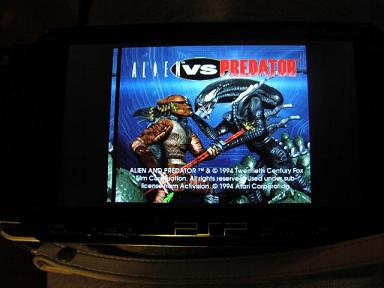
Heres what he posted:
| I've tried, just for fun, to port Virtual Jaguar to the PSP. Put the Jaguar BIOS image (jagboot.rom) in the same directory as the EBOOT. Rename the cartridge image to cf.jag and put it in the same directory. I've tried Cannon Fodder and Atari Karts ... and ... it's pretty slow, be patient
See Virtual Jaguar website for compatibility stats. (DSP is not enabled)
Keys :
A - Square
B - Triangle
C - Circle
Pause - Start
Option - Select
|
It seems most Commercial Jaguar games work and although the speed is very slow its the first Jaguar emulator for not only the PSP but im sure any console :)
Amazing Work Plynx, More screenshots and the Download at his site here --> http://plynx.dcemu.co.uk/
Leave feedback ;)
|
| |
Gens32 Surreal 1.58 R2 Released
Posted by [vEX] @ 10:45 AM CET | Comments: 0 | Genesis
|
| 1) Try to fix some classical Gens's bug.Such as the '&About' file.
2) Restore the logo effect, You can set them in Option->Mic.
3) Added multi-Menu system,if you don't like Surreal's menu,you can switch to the old classical menu in Option->Mic.
4) Added Rewind system.You can find it under Tools Menu.
5) Low down Unl's game's support to low up official game's compatibility.
6) Support 'Common Unl Patch Library' which designed to solve some Unl game's problem.(Item 5 + Item 6 = Compatibility up with all roms).
PS:
1) This version's theme was designed by heavyds, who's from Brazil. The theme is really very very nice, thanks.And the chinese translation's theme was designed by LuciferWon.Also very nice and many thanks.
|
Gens32 Official Site
Gens32 Surreal 1.58 R2
|
| |
|
Thursday, February 16, 2006 |
Beats of Rage PSP V003
Posted by Wraggster @ 07:39 AM CET | Comments: 0 | PSP
|
SamuraiX has updated the port of Beats of Rage to the PSP, heres the information:
| Updates and New Features:
- Updated Charge Indicator, Time Indicator (Now shows status of AC/Battery Source)
- Updated Sprite Engine. (Ported from Dreamcast BOR uses ALOT less memory to display sprites)
- Added PSP Video Mode Widescreen. (Must restart BOR for changes to take effect. Work in progress!)
Bug Fixes:
- Hopefully no more level crashes!!!
Future Releases...
- Pak file selector.
- Video Modes.
- More Optimizations....
|
Download via the release thread here --> http://www.dcemu.co.uk/vbulletin/showthread.php?s=&threadid=18917
|
| |
|
Wednesday, February 15, 2006 |
Monkey 64 News (Nintendo 64 Emulator for the PSP)
Posted by Wraggster @ 04:35 PM CET | Comments: 0 | PSP
|
PSMonkey has posted some great news about the progression of his Nintendo 64 Emulator for the PSP, he decided to write a Nintendo 64 emulator from scratch to get a better emulator in the long run and now it looks like things are already starting to come along nicely, heres what he posted:
| O M F GOD
God bless my gf and her taking over the pc for 20 mins. If not for her I would have not tested out all the PD roms I have on my PSP. Thanks to this I now have 2 count that, 2 brand new demos up and running. They are liners & 1964. Both would actualy progress furter if not for the lack of input/pif emulation.
Tomorrow I plan to test more PD roms and see if others work. At the moment everything else causes the psp to lock up somewhere (and roughly near each other). So hopefuly I can debug and fix this soon. Anyways great news & enjoy the screenshots (see comment section)!!!
P.S. The Framerate is around 5.0-7.4 fps. A vast improvement over the previous 1.8 fps i was getting on fire demo.
|
Check out the screenshots of this improving Nintendo 64 Emulator for the PSP on his site hosted by DCEmu/Emulation 64 Network here --> http://nemo.dcemu.co.uk
Great work, cant wait to play Mario 64 one day :)
|
| |
Mednafen 0.4.9 Released
Posted by [vEX] @ 10:37 AM CET | Comments: 0 | Multi System
|
| GB/GBA: Added configurable rapid fire buttons for virtual buttons A and B.
NES: Disabling the background now works properly(it no longer also disables sprites!).
PCE: Disabling background layers now replaces that layer with an obnoxious green color that shouldn't be used by any games, to make sprite ripping easier.
Added settings "fftoggle" and "ffnosound", to make the fast-forwarding button a toggle switch, and to silence sound during fast-forwarding, respectively.
PCE: CDDA playback interrupt and looping enabled flags are now reset properly, fixing a lockup that occurs when facing a boss in Valis 2, and possibly other games.
|
Mednafen Official Site
Mednafen 0.4.9
|
| |
|
Tuesday, February 14, 2006 |
ZSNES WIP February 13th Released
Posted by [vEX] @ 10:11 AM CET | Comments: 0 | SNES
|
| This is a highly-unstable build, and no bug reports will be accepted for this version.
• ALL: Minor timing tweak for V-IRQ being set after NMI [pagefault]
• ALL: SuperFX IRQ fixes, this is probably buggy so as usual send all complaints to /dev/null. [pagefault]
• ALL: Work around a bug in vmware that causes the VM to sometimes lock up during execution of CPUID instruction. [pagefault]
• W_S: Added support to pause emulator when running in the background [pagefault]
• SDL: Fixed input responsitivity for controllers 3+. [bssteph]
• WIN: Fixed a really strange crash problem on Windows 2003 systems. [pagefault]
• WIN: You can now use gamepad in the background without ZSNES having focus. [pagefault]
• GUI: Added "+ Gamma" and "- Gamma" dummy hotkeys to the Misc Keys menu [ipher]
|
ipher's ZSNES WIP Site
ZSNES WIP February 13th
|
| |
|
Monday, February 13, 2006 |
|
Sunday, February 12, 2006 |
Dualis Release 13.3 Released
Posted by [vEX] @ 10:37 AM CET | Comments: 0 | Nintendo DS
|
| GPU: Added support for flipping of bitmap OBJs
GPU: Fixed a clipping bug for rotoscaled bitmap OBJs
MMU: Fixed a bug that would sometimes result in bad 32-bit reads from VRAM
GUI: Added support for zipped ROMs (only .nds)
GUI: Added support for the master char/screen offsets in the map viewer
GUI: Tile information is now diplayed when clicking on the map in the map viewer
GUI: Added a texture viewer (supports only 15-bit textures at this point)
|
Dualis Official Site
Dualis Release 13.3
|
| |
Beats of Rage PSP v002
Posted by Wraggster @ 01:41 AM CET | Comments: 0 | PSP
|
SamuraiX has released an update to the Port of the Homebrew BeatEmUp Beats of Rage for the PSP, heres whats new:
| Ported from Nazo SDL Version 0.01
Powered By PSPSDK && PSPSDL
Icon0.png and Pic1.png from Eli
New Features:
-Added new screen shot capability.
-Added new menu option for PSP.
-Added new CPU Speed, Bus Speed, Charge Indicator, Time Indicator.
-Added new Save/Load file settings.
Bug Fixes:
-Level change crash!!!
Future Releases...
-Pak file selector.
-Video Modes.
-Optimizations....
Known Issues... No longer compatible with PSPE!
|
More info at the Release Thread.
|
| |
GP2X Mess v0.9 (Multi Supporting System Emulator for GP2X
Posted by Wraggster @ 01:27 AM CET | Comments: 0 | GP2X
|
Telengard has updated the MESS port to GP2X, heres whats new:
02/11/06 - 0.9-beta
* Re-enabled timer w/ HW accel SDL. The issue seems to be fixed now.
* Added .gpe launchers for apple2, apple2e, and apple2c.
* Fixed virtual keyboard refresh issue by blitting the black rectangle twice, once for each surface (double buffered).
* Added new font for the initial cart menu
* Added libfreetype lib to list of libraries used for linking
* Added a routine to convert from an int color to a SDL_Color
* Modified text routines to use appropriate calls for determining font width and height
* Added SDL_ttf lib to list of libraries used for linking
* Removed targa.c from gp2xmess, replaced by sdl_ttf
* Removed previous font handling routines
* Added fields for font name and font size and changed font surface to TTF_Font
* Added routines for loading/unloading ttf fonts.
* Removed SDL_INIT_TIMER from SDL_Init call since it locks up the gp2x using the HW accel SDL. This means that scrolling in the initial cart dialog is yet again not working. :)
* Got the apple2 screen centered and looking good. Had to go to an even multiple of 320x240 to get a good looking display. The gp2xmess menu rect is missing the left side, but it still looks good.
* Changes to support HW accel SDL on gp2x target

|
| |
|
Saturday, February 11, 2006 |
Dualis Release 13.2 Released
Posted by [vEX] @ 11:11 AM CET | Comments: 1 | Nintendo DS
|
| GPU: Fixed rendering of rotoscaled 1D bitmap sprites
GPU: Added support for the master char/screen offset setting (text BGs)
GUI: Map viewer and OAM viewer now support extended palettes
GUI: Map viewer now supports tile flipping
GUI: Map viewer now supports viewing of VRAM banks in LCDC mode
GUI: Fixed rendering of 16-color OBJs with palette number >=8 in the OAM viewer
GUI: Fixed rendering of 1D bitmap OBJs in the OAM viewer
|
Dualis Official Site
Dualis Release 13.2
|
| |
|
Thursday, February 09, 2006 |
Nintendo 64 Port to PSP WIP News
Posted by Wraggster @ 11:39 PM CET | Comments: 2 | PSP
|
Heres an update of the Port of Nincest the Nintendo 64 Emulator to the PSP Console:
| Nincest 64 / M64
I have today officialy desided, and already underway, to rewrite the emulator from scrach. As most know by now. I have taken up the emulator full time along with Iris (but iris has higher priority to me). Every thing I correct on the emulator in turn makes stuff stop working which is sad. Its like repairing a model house with good glue only to have the crapy glue hate the good glue and fall apart. With the rewrite comes a new name. In the mean time the project will be called M64 for Monkey 64. The project will stay open source because this project only exsist because of the great work of others in the n64 emulation scene. So every build will also include the full source.
|
More info at PS Monkeys Site.
|
| |
Gens32 Surreal 1.58 beta Released
Posted by [vEX] @ 11:45 AM CET | Comments: 0 | Genesis
|
| 1) Lower system request,just a little slower then Gens under 16bpp mode.
2) With my friend ChengZhi's help,several bugs was fixed.Can worked fine under windows98 now.
3) Added/Rewrote/Deleted several filters.Maybe you can find something nicer.
4) 7z supported.
5) Update some emulation stuff, more like real hardware now.(some of them even not supported by Fusion v3.51).
6) SMD format's bug was fixed.
PS:
1) This version's theme was designed by heavyds,who form Brazil.The theme is really very very nice,thanks.
2) We decided to offter some custom-built software service(not for free).If you need some special ,From components of game engine to the gift for your girl friend,We will serve you well at a opportune price.
|
Gens32 Official Site
Gens32 Surreal 1.58 beta
|
| |
|
Wednesday, February 08, 2006 |
Dualis Release 13 Released
Posted by [vEX] @ 04:30 PM CET | Comments: 2 | Nintendo DS
|
| CPU: Optimized Thumb emulation
CPU: Added support for mode changes on MOVS
CPU: The IntrWait SWI can now be interrupted even when IME=0 (as it would on a real DS)
GPU: Added support for main memory (FIFO) display mode
GPU: Modfied reference coordinate calculation for rotoscale OBJs
GPU: Fixed vertical OBJ clipping
GPU: Fixed a problem with 1D bitmap OBJ mapping
GPU: Fixed a bug where BGs would not be drawn if the VRAM selection bits in DISPCNT were non-zero
MMU: Fixed 16- and 32-bit writes to VRAMCNT_*
MMU: VRAM banks mapped to extended palettes are no longer accessible
GUI: Added an OBJ viewer
GUI: Added a map viewer (does not yet support all types of maps)
GUI: Improved the tile viewer (VRAM bank selection)
GUI: Changed the screenshot keyboard shortcuts to Ctrl+1..Ctrl+3 so as to not interfere with dialogs were entering numbers is needed
|
Dualis Official Site
Dualis Release 13
|
| |
|
Tuesday, February 07, 2006 |
 Project64 LLE news Project64 LLE news
Posted by Martin @ 11:42 PM CET | Comments: 0 | Nintendo 64
|
zilmar posted some interesting news on LLE emulation at EmuTalk:
| One of the new things that have now been added in to the current beta of project 64 is low level graphics. It is slow running at 5-30 fps on my machine, so you would not want to play a game with it. Some games look great, others not so good. Here are a couple of screen shots. Feel free to discuss this here.
|
Check out the screenshots and join the discussion here
Project64 webiste
EmuTalk discussion thread
|
| |
NeoGeo CD and GBA Emus for PSP News
Posted by Wraggster @ 09:58 PM CET | Comments: 0 | PSP
|
PSP Owners can be thankful today for a new Release Candidate version of NEOGEO CDZ Emulator an up and coming Neo Geo CD Emulator. (dont ask me to translate the new stuff though)
Also Miemt11 has released a new GameBoy Advance Emulator for the PSP based on PSP298s previous effort, whats new includes:
1: First GBA Attempt (base on psp298 GBA 1.1 src)
2: Smaller eboot size
3: PSP 1.0 support (not tested)
More info at the Release Thread.
|
| |
GP2X Emulation Round Up
Posted by Wraggster @ 09:52 PM CET | Comments: 0 | GP2X
|
The GP2X Scene again is leading the way for Emulation releases, just lately we have seen releases of the following emulators:
GP2X Spectrum v1.1 (Spectrum Emulator for GP2X)
Uae4allGP2X V0.25 (Amiga Emulator for GP2X)
GNGNeo2x v0.6.8 (NeoGeo emulator for GP2X)
Atari800GP2X v0.9 (Mutliple Suporting Atari Emulator for GP2X)
Stella GP2X v2.1 Rev1 (Atari 2600 Emu for GP2X)
GP2PSX v0.34f (Playstation Emulator for the GP2X)
Impressive list eh and thats not counting the MAME for GP2X already posted, for downloads of all these emulators and news about them go to either GP2X News, GP32Xtreme or GP2X File Archive.
Finally Lik Sang have posted a rather impressive article about the GP2X and all the releases so far and is well worth a read.
|
| |
fMSX for Series 60 v1.10 (MSX Emulator for Nokia N-Gage & More)
Posted by Wraggster @ 09:43 PM CET | Comments: 0 | N-Gage
|
Another scene that hasnt seen any new releases in a long while is the Nokia N-Gage Scene but now you have a fresh new release of the MSX Emulator to play with, heres the details:
Juha Riihimäki has updated his MSX emulator for Series 60 phones, heres the info:
v1.10, 19/01/2006, downloads: b, c
Fixed PSG emulation bug introduced in previous releases
Support for resetting control settings
Support for saving and loading control settings
Support for 16kHz sound playback sample rate
|
| |
MESS 0.104 Released
Posted by [vEX] @ 10:32 AM CET | Comments: 1 | Multi System
|
| New System Drivers Supported (in no particular order):
------------------------------------------------------
- Exidy Sorcerer (diskless) [Robert]
- Sony Playstation (scph3000 J v1.1 01/22/95) [incog]
- Sony Playstation (scph3500 J v2.1 07/17/95) [incog]
- Turbo Grafix-16 [Rob Bohms]
- Acorn Electron [Wilbert Pol]
System Driver Changes:
----------------------
- [AT] Cleaned up A20 gating. [Nate Woods]
- [COCO3] Fixed a timing bug in video rendering. (bug #743) [Nate Woods]
- [PC] Fixed PC keyboard ESC char code (it is now 27; used to be 26). [Nate Woods]
- [EXIDY] Fixed keyboard, printer and video speed. Added natural keyboard support. (bug #615) [Robert]
- [PCE] Various improvements, updated renderer and removed GAME_NOT_WORKING flag. [Rob Bohms and Charles MacDonald]
- [VTECH1] Fixed key definitions. (bug #835) [Robert]
User Interface Changes:
-----------------------
- [Windows] Fixed a bug that caused crashes if a dialog was presented, the emulation reset, and a subsequent dialog presented. (bug #834) [Nate Woods]
- [Windows GUI] Fixed a bug that caused zip files where the file extension was not all lowercase to not be recognized as such. (bug #831) [Oliver Stoenberg]
Imgtool Changes:
----------------
- [OS9] Removed a limitation that prevented images from loading that have allocation bitmaps larger than 1024 bytes. (bug #825) [Nate Woods]
Source Changes:
----------------
- The core is based on MAME 0.104. This incorporates all features of the update to this core. [MAME team]
- Changed how devices are specified. The new system resembles how MAME CPU and sound cores are specified. [Nate Woods]
- Added a "input" command to the debugger. [Nate Woods]
- Cleaned up natural keyboard code. No longer have QUEUE_CHARS/ACCEPT_CHARS and CHARQUEUE_EMPTY; callbacks are now installed at runtime. [Nate Woods]
- Fixed a file manager memory allocation bug. [Brian Sturk]
- Moved MESS validity code into a separate file. [Nate Woods]
- Enhanced error reporting when loading images. (bug #827) [Nate Woods]
|
MESS Official Site
MESS 0.104
|
| |
|
Monday, February 06, 2006 |
SnesPSP_TYL 0.3 Released
Posted by [vEX] @ 10:04 AM CET | Comments: 0 | PSP
|
| [NEW] mode 7 optimizations when no rotation is used (maps in rpg, ...). Does not apply to fzero, mario kart, ...
[NEW] now 2 versions ! the "me" one is using media engine for sound mixing.
[NEW] roms can be deleted from file browser (press SELECT).
[NEW] savestates can deleted from menu.
[NEW] screen adjustement (pseudo calibration) to get rid of those nasty black borders!
[NEW] minor GUI adjustements (easily swap analog/pad, easier navigation with triggers)
[NEW] now accept 8bpp and 24bpp logo.bmp background file.
[NEW] new logo from pochi.
[FIX] some rendering & internal emulation core bugs.
[FIX] stability issues & memory card corruption should be gone (at least on my psp).
[FIX] debug settings are now correctly saved .
|
SnesPSP_TYL Official Site
SnesPSP_TYL 0.3
|
| |
Quickplay 3.8.3 Released
Posted by [vEX] @ 10:02 AM CET | Comments: 0 | Multi System
|
| This is generally a bug-fixing release, and its recommended you update. Most important changes include:
• Add support for media images/icons inside ZIP files (and ONLY zip files)
• Uncompress File Picker uncompresses all files first
• Add a ROM doesnt use the editted System File Exts
• Equal amount of ROMs and Real MAME Icons causes crash
• Last System in the list is left off in Emulator Management screen
|
Quickplay Official Site
Quickplay 3.8.3
|
| |
 pSX emulator 1.1 Released pSX emulator 1.1 Released
Posted by [vEX] @ 09:58 AM CET | Comments: 0 | Playstation
|
| • ALT+F4 now exits the emulatoer
• Pressing F1/Shift+F1 switches back to windowed mode for file dialog
• *.mcr files are shown in memory card dialog
• Option to disable status icons (CD/XA/MR, etc..) - disabled by default
• dbghelp.dll is now optional (required for saving crash dumps though)
• CD drives (IoControl and ASPI) should now work
• pSX now works under Win98/ME (hopefully ;)
• Fixed save state loading bug
• Fixed crash when entering non existant save state filename
|
pSX emulator Official Site
pSX emulator 1.1
|
| |
MAME GP2X 1.5 Released
Posted by [vEX] @ 09:54 AM CET | Comments: 0 | GP2X
|
| - Hardware video scaling / stretching in horizontal and vertical mode (faster).
- Screen is updated now with a single video buffer (faster).
- Added 20 new romsets from MAME 0.35b3 (total supported games now is 1083!):
Breywood (breywood), Cadillacs and Dinosaurs (World) (dino), Capcom World 2 (Japan) (cworld2j), Captain Silver (csilver), The Real Ghostbusters (3 player) (ghostb3), Gondomania (gondo), Last Mission (Rev 5) (lastmss2), Last Mission (Rev 6) (lastmiss), Mekyo Sensi (mekyosen), Muscle Bomber Duo (Japan) (mbomberj), Muscle Bomber Duo (World) (mbomber), Punisher (Japan) (punishrj), Punisher (World) (punisher), Quiz & Dragons (Japan) (qadj), Quiz & Dragons (US) (qad), Shackled (shackled), Slam Masters (World) (slammast), Super Real Darwin (srdarwin), Tenchi o Kurau 2 (Japan) (wofj), Warriors of Fate (World) (wof).
- Added 2 new romsets from MAME 0.35b8: Tumble Pop (bootleg set 1) (tumblep) and Tumble Pop (bootleg set 2) (tumblep2).
- Graphics fixed in Three Wonders (MAME 0.35b3 and MAME 0.35b6).
- Speed fixed in Psycho Nicks Oscar (MAME 0.35b3).
- Added a new frontend graphic skin created by Sike.
- New clrmame.dat created by [MaD] updated up to MAME GP2X 1.5.
|
MAME GP2X Official Site
MAME GP2X 1.5
|
| |
GameEx 5.52 Released
Posted by [vEX] @ 09:52 AM CET | Comments: 1 | Arcade
|
| Enhancements
• A new theme with two variations is now included - "MCE Glossy" and "Default New". Many thanks to Alan R. The MCE Glossy theme really is something special and worth the download.
• There is a new theme picker available right within GameEx to allow you to preview themes and change on the fly.
• GameEx now plays a "Please Wait" animation when its performing tasks that are going to take several seconds.
• Its now possible to continue playing music after launching an emulator, and its possible to skip go to previous and stop the Jukebox music while running an emulator.
• GameExtender Viewer application has been optimized to run faster.
Fixes
• Fixes attract mode when its set just to play videos
• GameExtender Viewer now resizes correctly when the resolution is changed
• Fixes Jukebox not disabled when installing for MCE or Games only usage.
Changes
• Replaced the rectangular blue GameEx logo in all themes.
|
GameEx Official Site
GameEx 5.52
|
| |
|
Saturday, February 04, 2006 |
Mednafen 0.4.8 Released
Posted by [vEX] @ 07:22 PM CET | Comments: 0 | Multi System
|
| 0.4.8:
PCE: Loading a physical CD will now print out a list of available devices.
NES: Blip_Buffer's highpass filtering capabilities(for DC-offset removal) are now used instead of a custom function.
Modified the included libintl so that it will compile on Mac OS/X.
The "trio" subdirectory should(I can't test it) now be compiled with -mieee on Alpha architectures, fixing a compilation error.
NES: Fixed long-standing graphical problems with some sprites in (Mike Tyson's) Punch-Out.
Removed "#include " from cdromif.cpp and cdromfile.cpp, since I forgot to in 0.4.6.
|
Mednafen Official Site
Mednafen 0.4.8
|
| |
iDeaS 1.0.0.7 Released
Posted by PsyMan @ 10:37 AM CET | Comments: 0 | Nintendo DS
|
Another version of the Nintendo DS emulator has been released. Here's what Lino has to say about this release:
| I have decided to leave again a new version of iDeaS.
The new version contains little improvements like the touchscreen (now DSLINUX keyboard works) and the management of the plugins. Added the plugins for the recording the avi.
|
As always you can visit the iDeaS Official Site for more info. You can also discuss about this release in our (unofficial) iDeaS Forum.
iDeaS Official Site
iDeaS 1.0.0.7
|
| |
|
Friday, February 03, 2006 |
PCSX2 - Video
Posted by CKemu @ 12:22 AM CET | Comments: 8 | Playstation 2
|
Taken straight from my news post on the PCSX2 site:
| Not going to say much really, I think the video does that ;)
These videos are AVI (Xvid) and should be playable under any decent media player and are being shared using Bit Torrent, thus you will need a Bit Torrent client such as uTorrent to get these videos! Please seed for aslong as possible!
NOTE: Actual Emulated speed not shown! Most run below 20 FPS!
Low Quality Version - 17MB
High Quality Version - 87MB
3D Graphics / Video Editing
CKemu
Musical Score / Mental Support During Rendering
Refraction (BIFCO Records Ltd.)
Painful-to-Record Video Clip Staff
ChaosCode (Devil May Cry 3)
CKemu (Capcom Fighting Jam, Capcom Vs SNK2, Final Fantasy X-2 / 12, MGS2 - Skate, Monster Hunter G, Rumble Roses, Virtua Fighter 4)
General Plot (Kingdom Hearts)
Nachbrenner (DDR Party Collection, Gran Turismo 4, GTC Africa, Second Sight)
Parotaku (Biohazard 4, Bloody Roar 3, Nightmare Before Christmas- Oogie's Revenge, R-type Final, Rez)
Refraction (Final Fantasy X, Makai Kingdom)
Rudy X (Frequency)
Laz0r Team
Gabest (Needs to fix LOTS)
Refraction (Scratching his balls, pondering pizza)
Saqib (Currently in the distant past fighting time distortions)
Shadow (Kidnapped by his girlfriend, tortured, perhaps dead)
In Memory Of
Linuzappz (Needs to pop by and say hi! - lazy sod)
|
PCSX2.net
|
| |
|
Thursday, February 02, 2006 |
|
Wednesday, February 01, 2006 |
Mednafen 0.4.7 Released
Posted by [vEX] @ 10:00 AM CET | Comments: 0 | Multi System
|
| 0.4.7:
Fixed the NES PPC AltiVec resampling code by properly aligning an output array.
Fixed NES sound emulation on 32-bit platforms(omitting the buffer size to Blip_Buffer::set_sample_rate() was causing an assert to go off on <64-bit platforms).
0.4.6:
Dropped the libsamplerate dependency.
NES: Replaced the resampling code from the intermediate frequency after FIR resample with Blip_Buffer. The only audible effect seems to be a slight lowpass filter effect.
PCE: Integrated the CDDA playback code into the main PCE CDROM emulation code by using Blip_Buffer.
PCE: Removed the compressor and cddaquality settings.
Updated the Russian PO file, mostly to remove or fix grossly incorrect "fuzzy" entries. Added an incomplete Spanish(Spain) PO file.
PCE: If a data sector read from a physical disc fails, it will be reattempted continuously until it succeeds, or the user presses the exit key(F12 by default). (note that this may appear to lock up Mednafen, but the exit key will still work) This *should* fix problems with physical PCE CDs under Mac OS/X and MS Windows.
Merged trio(http://daniel.haxx.se/projects/trio/) into Mednafen to fix format-string problems on non-glibc systems(MS Windows for example!).
GB: Modified the APU emulation code to silence a gcc warning.
PCE, Lynx, GB, GBA: Doubled the size of the Blip_Buffer phase offset table for slightly higher sound quality.
PCE: Fixed ADPCM playback code for when sound is disabled(it was ultimately causing a crash in earlier versions).
Converted the MD5 functions to a class.
Fixed(hopefully) compilation on non-Apple PowerPC systems.
Fixed save-state support for saving/loading arrays of 16-bit and 32-bit variables(the hints were already there, but the code to handle the hints was nonexistant). Note that this change will cause incompatibilities between old save states and this version on big-endian platforms.
Removed the included "m4" directory, updated autogen.sh, and reran it to regenerate aclocal.m4 with newer(and fixed on AMD64) versions of the gettext autoconf scripts. See: http://bugs.debian.org/cgi-bin/bugreport.cgi?bug=349845
|
Mednafen Official Site
Mednafen 0.4.7
|
| |
GameEx 5.48 Released
Posted by [vEX] @ 09:57 AM CET | Comments: 0 | Arcade
|
| • After listening to some feedback (and criticism), and so everyone can fully evaluate all features, the only feature that requires registration of GameEx - GameExtender (one of the many non emulation related features of GameEx), can now be used on initial start of GameEx for several minutes for non registered users.
• GameExtender now also features logging to help me troubleshoot and support your problems.
|
GameEx Official Site
GameEx 5.48
|
| |
Nincest 64 Ported to PSP (First Nintendo 64 Emulator for PSP)
Posted by Wraggster @ 01:44 AM CET | Comments: 1 | PSP
|
PSMonkey who has a site on our Network and more importantly the coder of NGPSP, the Neogeo Pocket Emulator for the PSP, Iris and Quake 3 BSP Viewer has released the Worlds first Nintendo 64 Emulator for the PSP, heres the details in full:
| Well i bring you the "theoreticaly" first nintendo 64 emulator for psp. Before you get your hopes up, it only runs a small number of homebrew demos.
Here is the readme
P.S. If you wish to join my protest, post here on the forums!!
Nincest 64
// NINCEST 64 by Marius Dumitrean [[email protected]]
// PSP Port By PSmonkey (http://nemo.dcemu.co.uk/)
// Based on the dreamcast port by Gpf (http://gpf.dcemu.co.uk/)
// Icon by pochi
http://pochistyle.pspwire.net/
// My Protest
NOTE: THIS README MUST BE POSTED IN FULL, ANY REMOVAL WILL CALL FOR THE RELEASE REMOVED FROM THE SITE!
My Protest
I am sick and tired of sites treating coders like property. We are here for the scene! We are not your property!
You do not own us! We would still be here without you and just as strong!
This project is dedicated to all scene coders out there keeping up the good fight to progress the scene and not for cash, fame or being bought out by sites. This project is dead from here on out untill this scene improves!
If you wish to join my protest, please visit my homepage. http://nemo.dcemu.co.uk
Enjoy the emu. Ps, This wont run commercial n64 roms.
// Info
This is theoreticaly the first n64 emulator on the psp. It only runs 2 PD/Homebrew demos (stars & fire) which are included with the release. If the scene improves. I will come back and eventualy get a working emulator that will allow psp users to play smaller n64 games like mario 64 on their psp. If not, this emulator stops here. Also do note the source is included.
// To Use
1) Copy the "n64" Folder to the root of the memory stick.
..) Example "G:" (replace G: with your psp drive letter)
2) Copy the files from the folder containing your psp version number
..) Example, 1.0 users will go into 1.0 folder and copy the psp directory to the root of the memory stick.
3) Run the software
// Greetings
wraggster, GPF, Pochi, Zeenbor, Lac, Everybody who worked on this emu & all at dcemu!
|
Check out the first Nintendo 64 Emulator for the PSP at the release page here -> http://nemo.dcemu.co.uk
|
| |
|
 |
File Releases
No Description in database.
No Description in database.
No Description in database.
No Description in database.
No Description in database.
|
|
|
Latest Forum Posts
Last Reply: NES_player4LIFE
Replies: 1
Last Reply: Robbbert
Replies: 0
Last Reply: spotanjo3
Replies: 0
Last Reply: spotanjo3
Replies: 1
Last Reply: spotanjo3
Replies: 0
| |
|
Latest Reviews
Created by WhiteX
Created by WhiteX
Created by WhiteX
Created by WhiteX
Created by WhiteX
| |
|
Support Guides
Created by Martin
Created by Martin
Created by WhiteX
Created by Dark Watcher
Created by Dark Watcher
|
|
|
Our Affiliates
| |
|


