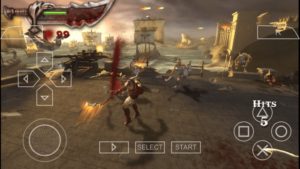
PPSSPP is a PSP emulator written in C++. It translates PSP CPU instructions directly into optimized x86, x64, ARM or ARM64 machine code, using JIT recompilers (dynarecs).
PPSSPP can thus run on quite low-spec hardware, including stronger ARM-based phones and tablets, as long as there's OpenGL ES 2.0 support.
Here are changes for latest stable build:
+ Lots of minor bug fixes, crash fixes, and performance fixes and improvements.
+ New Browse... button to allow opening SD cards on Android 11
+ Countless AdHoc networking fixes by ANR2ME, for example Dragon Ball Shin Budokai, PowerStone, + + Bleach Heat The Soul 7, Kingdom Hearts, GTA: VCS and many more.
+ Graphics issue with car reflections fixed in Outrun, Dirt 2 (#13636, #13640, #13760)
+ Cut-off cards in Yu Gi Oh fixed (#7124).
+ Numerous fixes to the builtin fonts by nassau-tk
+ Added exception handler so PPSSPP stays alive if a game crashes (#11795/#13092)
+ Desktop: Support for multiple instance multiplayer (#13172, ...)
+ Workaround for rendering bugs with flat shading in iOS 14
+ Multiple fixes to the IR interpreter (#13897, ...)
+ UI: New fullscreen button on desktop platforms, optional navigation sounds (#13239)
+ Audio and multiple hangs fixes in UWP version (#13792, ...)
+ Partial microphone support (#12336, ...)
+ Workaround for wacky action mirroring bug in Hitman Reborn Battle Arena 2 (#13706, #13526)
+ Hardware texture upscaling for Vulkan, mipmap generation (#13235, #13514)
+ Added MMPX Vulkan texture upscaling shader (#13986)
+ Depth texturing support in Vulkan and D3D11 (#13262, #13556, ...)
+ Performance fix for Test Drive Unlimited (#13355, ...)
+ Allow rewind on mobile (#13866)
+ Added option to disable on-screen messages (#13695)
+ Added "Lower resolution for effects" on libretro (#13654)
+ Allow chaining multiple post-processing shaders (#12924)
+ Support for loading game-specific plugins (#13335)
+ Fixed Assassin's Creed: Bloodlines Save issue on Android (#12761)
+ Hanayaka Nari Wa ga Ichizoku: mono voices fixed (#5213)
+ Additional fixed games:
++ Namco Museum - Battle Collection, Vol 2 (#9523, #13297, #13298)
++ Dream Club Portable (graphics bugs, GL and Vulkan) (#6025)
++ Capcom Classic Collection Reloaded (stuck in return game) (#4671)
++ Xyanide Resurrection (freezing) (#8526)
++ Dissidia Final Fantasy Chinese (patched game, invalid address) (#13204)
++ Crazy Taxi (#13368)
++ Spiderman: Friend or Foe (#13969)
++ Downstream Panic (US) (New Game crash) (#13633)
PPSSPP is a PSP emulator written in C++. It translates PSP CPU instructions directly into optimized x86, x64, ARM or ARM64 machine code, using JIT recompilers (dynarecs).
PPSSPP can thus run on quite low-spec hardware, including stronger ARM-based phones and tablets, as long as there's OpenGL ES 2.0 support.
Latest changes:
+ GL: Detect Apple GPUs as a category
+ VK: Restore the ARM Mali Z hack that got lost in the refactor somehow.
+ ARM64 buildfix
+ Minor cleanups
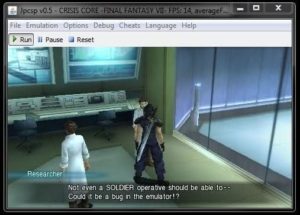
Jpcsp is the advanced PlayStation Portable emulator, allowing you to play your PSP games on a PC. Even though Jpcsp is written in Java, it can already reach 100% PSP speed on a lot of commercial games... and the emulator performance is constantly increasing.
Jpcsp takes full advantage of dual-core processors, matching the PSP dual-core
architecture. Even a quad-core can give a small performance improvement by leaving free CPU cores for the Java JIT Compiler and the graphics cache.
Here's changelog for latest dev-build, released 24 Nov 2020:
+ Trying to avoid DOS end of line for the linux scripts.
+ Added an option to specify the XLink Kai server address
+ Small code clean-up
+ sceWlan: fixed scanning when called from utility.prx
+ Improved the HLE implementation of sceUtilityLoadXXX
+ Wlan networking: code clean-up with better asynchronous network
+ Debugger memory: fixed memmove
+ LLE for Wlan hardware: added support for XLink Kai
+ Bug fixes in libkirk
PPSSPP has released a new version of its emulator today, now at 1.6
This time, it's all about speed. The Vulkan backend has improved as is now the default where available, while the OpenGL backend has been properly multithreaded and now runs really fast on dual-core devices. Enjoy!
The Android release will be rolled out slowly over the next week to catch bugs. If you want it now now NOW then download the APK!
* OpenGL backend now properly multithreaded, giving a good speed boost.
* Various Vulkan performance improvements (like #10911) and memory allocation fixes.
* GPU command interpreter performance improvements (#10658)
* Various fixes for app switching and widgets (#10855) on Android
* Bugfixes and some performance improvements in the ARM64 JIT compiler and IR interpreter
* Shader cache enabled for Vulkan
* Multiple iOS fixes, including JIT (#10465) and file browser (#10921).
* Improved compatibility on Mac (#10113)
* Texture replacement ID bugfix (note: some textures from 1.5.4 may become incompatible)
* Adhoc multiplayer fixes (#8975)
* Vulkan support on Linux/SDL (#10413)
* Retroarch support
ppsspp has been updated today, to now version 1.4 of this psp emulator, here's whats new.
Support D3D11 (performs better than OpenGL or D3D9 on most hardware)
Audio quality improvement (linear interpolation) (#8950)
Hardware spline/bezier tesselation in OpenGL, D3D11 and Vulkan (...)
Post-processing shaders in D3D11
Prescale UV setting removed, now the default (improves perf) (#9176)
High DPI display fixes
Various fixes for UMD switching for multi-UMD games (#9245, #9256)
New audio setting to improve compatibility with Bluetooth headsets
Various desktop gamepad compatibility fixes
Workaround for mipmap issue, fixing fonts in Tactics Ogre Japanese
Assorted minor compatibility fixes, code cleanup and performance improvements
PPSSPP 1.3 has finally released, a much anticipated release, as this marks the first time a playstation (plus) emulator allows for full hd texture replacement!
Heres the low down
Fix JIT problems on Galaxy S7 and iOS 9+ devices
Fix Android TV support (x86-64) and use latest FFmpeg, fix Raspberry memory use
Texture replacement support - for custom textures and upscaling
Workaround rendering issues on Tegra K1/X1
Initial Vulkan support on Windows - not full featured yet
Experimental new CPU backend and CPU fixes
Fix type D cheat codes, allow for homebrew
Fix some problems when switching away from and back to the app
Initial game video recording / TAS features (frame stepping)
A new release of ppsspp is out, mainly a bug fix for all the issues with 1.0
1.0 shipped with broken scrolling in the savestate list, that and a few other small bugs are now fixed in 1.0.1.
Bugfixes like the save state scroll issue, cosmetic issues like overscroll
Some cheat code bugfixes
Adler32 and Mersenne Twister modules added (fixes some obscure games)
Fix for Jak & Daxter slowdown
Graphics hack for Phantasy Star Portable 2 for Direct3D9
Fix compatibility with some PowerVR devices broken since v0.9.5-959-g4998044]
Finally, 1.0 is out, with a ton of new improvements! Note that it can take a while for it to become available in the Play store, depending on your location and Google's datacenters.
Many, many bug fixes in JIT and elsewhere, improving compatibility
Proper fix for Zenfone and related devices
Direct3D 9 supported as a rendering backend on Windows, helps on old GPUs and can be faster than OpenGL in many cases
You can now create specific configs per game
FPU rounding modes much better supported, fixes the Peace Walker boss that was undefeatable. NOTE: This breaks saves in Gods Eater - you must turn off the better rounding, load your save game, turn it on and save.
The JIT now uses SSE on x86, improving speed considerably. This does not affect ARM devices, that's for the next version or two.
Improved audio output code on both Windows and Android, reducing audio latency on Windows and on some Android systems
FFMPEG upgraded, fixed some music hangs ("GHA phase shifts")
Some Ad Hoc improvements, coldbird.net is now default adhoc server. Ad Hoc still unfinished and hard to use.
Graphics fixes: Bezier/spline drawing fixes, vertex position fixes, DanganRonpa on Adreno fixed, flat shading fixed, vertex cache improved, some PowerVR blockiness issues fixed, screen scaling filter added, Google Cardboard support
Simulate UMD speed better, fixing hangs in several games
More Atrac3 fixes, fixing hangs
Somewhat better disk full handling
Fixes to dynamic unloading of code, fixing problems in GEB and TRM 2/3
Updated to SDL2 where applicable (Linux, Mac)
Some new features, like analog/dpad-swap hotkey, graphics hack for Phantasy Star, show last bit of debug log in dev tools, etc
No more need for MSVCRT DLLs on Windows
PPSSPP can run your PSP games on your PC in full HD resolution, and play them on Android too. It can even upscale textures that would otherwise be too blurry as they were made for the small screen of the original PSP.
Here's changelog for 0.9.8 release:
+ OpenGL ES 3 detection bug on Xperia devices fixed, graphics work again.
+ More accurate audio mixing and emulation
+ Software rendering and display list performance improvements
+ Workaround for timing issue hanging Crash Tag Team Racing
+ Galician language
+ Built-in ARM disassembler improvements (dev feature)
+ Fix for immersive mode volume key issue on Android Kitkat
+ And more minor tweaks and fixes as always.
Visit Official homepage for for further information and latest build of emulator
PPSSPP can run your PSP games on your PC in full HD resolution, and play them on Android too. It can even upscale textures that would otherwise be too blurry as they were made for the small screen of the original PSP.
Here's changelog for 0.9.7 release:
+ Several scheduling and audio fixes, fixing black screens in Yu Gi Oh games among other things.
+ Screen rotation and immersive mode support on Android
+ Large improvements to the software renderer (still not really playable, but looks right more often than not)
+ New VPL allocator and bugfixes, fixing Pangya Golf performance problems.
+ Some mpeg/video playback fixes, fixing Parappa The Rapper and others. Some issues remain.
+ Fix save state bugs causing incompatibility between 32 and 64-bit platforms.
+ Symbol map/debugger improvements
+ Depth buffer copy, fixing Jeanne D'arc. May cause minor slowdowns though, this will be worked around in the future.
+ MsgDialog fixes. Saving fixed in numerous games.
+ Initial multitouch support on Windows 8 for on-screen controls.
Visit Official homepage for for further information and latest build of emulator
PPSSPP can run your PSP games on your PC in full HD resolution, and play them on Android too. It can even upscale textures that would otherwise be too blurry as they were made for the small screen of the original PSP.
Here's changelog for 0.9.6(-2) release:
+ Large general speed improvements and assorted bug fixes
+ "Software Skinning" option which speeds up many games with animated 3D characters (but may slow down a few, like Monster Hunter - experiment with turning it off)
+ Various fixes around stencil/alpha, reducing glow problems in Wipeout and Gods Eater Burst.
+ Timing improvements making more games run at the correct FPS, also fixing some audio issues
+ More debugger features
+ Better looking and individually resizable touch controls
+ Automatic install of games from ZIP files, like demos and many homebrew.
+ Software renderer improvements
+ VERY basic ad-hoc online play support, to be improved in future versions.
+ fixed bug that causes the game list on Android to either display a blank or crash if it sees a ZIP or RAR file
Visit Official homepage for for further information and latest build of emulator
PPSSPP can run your PSP games on your PC in full HD resolution, and play them on Android too. It can even upscale textures that would otherwise be too blurry as they were made for the small screen of the original PSP.
Here's changelog for 0.9/0.9.1 release:
+ Much improved control mapping, and autoconfig for a few devices like Shield
+ Large speed boosts in many games
+ Improved touchscreen control latency, important for rhythm games
+ Huge improvements to our internal PSP debugger by Kingcom!
+ A number of new games became compatible, such as Final Fantasy Tactics which just has some audio issues left.
+ A completely redesigned user interface, unlike the previous static one this one can grow with the emulator and has keyboard/controller navigation support, for the full lean-back experience!
+ Improved frameskipping, increasing playability on slower devices.
+ Bugfixes for 0.9 release
Visit Official homepage for for further information and latest build of emulator
Soywiz's Psp Emulator is a Open Source Sony PlayStation Portable emulator developed with a TDD approach for PC made in C# 4.5. It contains many features, like: fast dynamic recompilation, fast memory access using VirtualAlloc, very fast function cache, clean HLE emulation
Here's changelog:
+ Updated to .NET 4.5 / Mono 3.x.x
+ Reimplemented how the CPU dynarec works:
- Now generates an AST
- Perform some generic optimizations and others related to lwl/lwr that weren't possible before without the AST.
- Adds a new window that allows you to see generated functions as C#, IL, XML or MIPS/disassembler.
- Branch as local optimization
- Native calling/jumping/tail calling with dynamic static fields
- Optimized jalr in fors, caching repeated calls
- syscalls rewritting to normal calls
+ direct memory access
+ VFPU completely reimplemented (now most of the instructions are implemented right)
+ Faster CSO decoding using the native DeflateStream from .NET 4.5
+ Huge Speedup related to GPU rendering:
- Avoid to write video memory into RAM and then read to the display (now it copies the framebuffer into the display window without transferring data)
- Support for scaling the render target (better quality of 3d games and games with bigger 2d textures)
- Removed the requirement of wavoutput.dll and all that stuff, now it uses MaiAt3PlusDecoder
- Added initial support for pmf/h264 videos. It is buggy and doesn't play sound yet. But it is a beggining.
- Much more accurate vsync
+ Lots and lots and zillions of major and minor improvements
PPSSPP can run your PSP games on your PC in full HD resolution, and play them on Android too. It can even upscale textures that would otherwise be too blurry as they were made for the small screen of the original PSP.
Here's release info for latest 0.8/0.8.1 release:
0.8.1 is pretty much just a crash fix release, fixing a couple of possible crashes around downloading the Atrac3+ plugin.
As for v0.8, it brings the following new features:
+ Full video and audio playback in most games (audio requires an optional plugin)
+ Huge increases in compatibility! Final Fantasy: Crisis Core is fully playable on fast devices, for example.
+ Lots of little things like easy screenshot taking, the beginnings of a cheat feature, etc
Thanks to all the contributors making this possible! I want to call out unknownbrackets and oioitff for outstanding additions.
Visit Official homepage for for further information and latest build of emulator
Jpcsp is the most advanced PlayStation Portable emulator, allowing you to play your PSP games on a PC. Even though Jpcsp is written in Java, it can already reach 100% PSP speed on a lot of commercial games... and the emulator performance is constantly increasing.
Here's the changelog from 5 latest SVN builds:
+ Added logging of content from UMD_DATA.BIN. Preparing the introduction of a unique UMD ID.
+ Fixed video command BBOX: weights (bones) can be used for the BBOX vertices. This might fix applications where 3D graphics are missing.
+ Clear the vertex cache and clean-up the VideoEngine when changing the video settings.
+ Added tests for volume in sceAudioOutput2OutputBlocking to sound.prx test application.
+ Fixed volume handling in sceAudioSRCOutputBlocking and sceAudioOutput2. Based on tests on a PSP.
Jpcsp is the most advanced PlayStation Portable emulator, allowing you to play your PSP games on a PC. Even though Jpcsp is written in Java, it can already reach 100% PSP speed on a lot of commercial games... and the emulator performance is constantly increasing.
Here's the changelog from 3 latest SVN builds:
+ Added new VFPU test sequence from "Rush - USA - ULUS10174 " in vfputest.pbp. Jpcsp implementation in r3083 was correct.
Thank you to nash67 for providing the log files.
+ Improved timing of sceIoIoctl.
+ Implemented results from new vfputest: added support for vfpu register index >= 64 in vector-4 instructions (.q).
Jpcsp is the most advanced PlayStation Portable emulator, allowing you to play your PSP games on a PC. Even though Jpcsp is written in Java, it can already reach 100% PSP speed on a lot of commercial games... and the emulator performance is constantly increasing.
Here's the changelog from 3 latest SVN builds:
*** r2982:
Implemented sceRtcConvertUtcToLocalTime and sceRtcConvertLocalTimeToUTC
*** r2981:
Better detection of code that has to be recompiled for "ICACHE HIT INVALIDATE" instruction.
*** r2980:
Fixed sceKernelSignalSema:
- check for ERROR_KERNEL_SEMA_OVERFLOW
- allow to release multiple threads (e.g. with signal=2) for a sema having maxCount=1.
Jpcsp is the most advanced PlayStation Portable emulator, allowing you to play your PSP games on a PC. Even though Jpcsp is written in Java, it can already reach 100% PSP speed on a lot of commercial games... and the emulator performance is constantly increasing.
Here's the changelog from 3 latest SVN builds:
*** r2911:
Removed the error "Unhandled alpha blend src used 11": this is interpreted as an ALPHA_FIX (value 10) by the PSP. Tested using 3DStudio. Reported by Itaru for "Heroes Phantasia".
*** r2910:
Added test of unknown blend src/dst values in 3D Studio.
*** r2909:
Reverted part of r2908: was sometimes causing voice to repeat forever.
Jpcsp is the most advanced PlayStation Portable emulator, allowing you to play your PSP games on a PC. Even though Jpcsp is written in Java, it can already reach 100% PSP speed on a lot of commercial games... and the emulator performance is constantly increasing.
Here's the changelog from 3 latest SVN builds:
*** r2758:
Fixed scePsmfPlayerGetVideoData: do not return an error when the end of the MPEG has been reached.
*** r2754:
Reverted part of r2351: some games use explicitly mipmaps with incorrect sizes to store different images.
*** r2752:
Added sceFpu module. Avoid error "Tried to register a second handler for NID 0x..."
Jpcsp is the most advanced PlayStation Portable emulator, allowing you to play your PSP games on a PC. Even though Jpcsp is written in Java, it can already reach 100% PSP speed on a lot of commercial games... and the emulator performance is constantly increasing.
Here's the changelog from 3 latest SVN builds:
*** r2595:
Network code clean-up to better split the 2 Adhoc implementations (Jpcsp native and PRO Online)
*** r2594:
Implemented draft functions from sceParseUri, sceHttp: an URL can now be retrieved through sceHttp
*** r2593:
Fix in network: update the peer timestamp also when receiving a Matching message.
Jpcsp is the most advanced PlayStation Portable emulator, allowing you to play your PSP games on a PC. Even though Jpcsp is written in Java, it can already reach 100% PSP speed on a lot of commercial games... and the emulator performance is constantly increasing.
Here's the changelog from 3 latest SVN builds:
r2552 - Improvement in ELF Loader: support program sections of length 0
r2551 - Improved compilation of SB and SH instructions: compilerPerf.pbp is showing a small performance improvement.
r2550 - No SVN build. Improved performance of UmdBrowser on slow computers. The param.sfo and ICON0.PNG are now cached under tmp/UmdBrowserCache and not read from the ISO/CSO at each restart of Jpcsp.
Jpcsp is the most advanced PlayStation Portable emulator, allowing you to play your PSP games on a PC. Even though Jpcsp is written in Java, it can already reach 100% PSP speed on a lot of commercial games... and the emulator performance is constantly increasing.
Here's the changelog from 3 latest SVN builds:
SVN r2500
-------------
+More progress on adhoc networking: implemented sceNetAdhocMatchingSendData, sceNetAdhocMatchingGetHelloOpt, sceNetAdhocMatchingSetHelloOpt, sceNetAdhocctlConnect, sceNetAdhocctlGetPeerList.
+ Still only communicating between two Jpcsp, not a real PSP.
SVN r2499:
-------------
+Implemented a lot of missing CW cheat codes.
SVN r2498:
-------------
+ Fixed NullPointerException raised in ClassSpecializer when enabling the software rendering.
+ The java compiler used by ant for the build distribution is not producing the same code as the java compiler started from my eclipse workbench: eclipse was generating only TABLESWITCH instructions whereas ant is generating LOOKUPSWITCH instructions!
Jpcsp is the most advanced PlayStation Portable emulator, allowing you to play your PSP games on a PC. Even though Jpcsp is written in Java, it can already reach 100% PSP speed on a lot of commercial games... and the emulator performance is constantly increasing.
Here's the changelog from 3 latest SVN builds:
r2459 - Software rendering:
- new finding: depth buffer is only updated when the GU_DEPTH_TEST flag is enabled (tested with 3DStudio).
- use of Rasterizer also for 2D triangle (faster)
- small optimizations
- added new statistics to better identify bottlenecks
r2458 - Small performance improvement in software rendering: avoid unnecessary texture clipping when the wrap mode "repeat" is enabled.
r2457 - Further improvements in the software rendering:
- added support for compressed textures
- small performance improvement to early detect primitive being culled or clipped
- added support for 3D sprite rendering
- small fixes
Jpcsp is the most advanced PlayStation Portable emulator, allowing you to play your PSP games on a PC. Even though Jpcsp is written in Java, it can already reach 100% PSP speed on a lot of commercial games... and the emulator performance is constantly increasing.
Here's the changelog from 3 latest SVN builds:
Improvement of the software renderer:
- improved texture mapping
- apply the perspective correction while mapping a texture to a 3D triangle
- implemented bounding box
- improved performance for rendering of triangles
- implemented skinning (bones)
- implemented triangle culling
- implemented all texture mappings
- implemented texture wrapping
This implementation is still disabled. Lighting model is missing.
Expect a first release soon.
D PSP Emulator SVN r300 is released. D PSP Emulator is a PlayStation Portable (PSP) emulator for PC made in D programming language. At the moment can run some simple homebrew. It doesn't load any comercial game at this stage.
D PSP Emulator SVN Changelog:
r290
- Fixed sceKernelWaitThreadEnd(CB) + Unittesting
- Fixed??! sceCtrlReadBufferPositive and sceCtrlReadLatch + Unittesting
r291
- Stop all the emulator when an error rises. @TODO CHECK! It loses the exception
launched?
- Minor changes and refactorings
- Changed the way sceCtrl waits for a frame. Still not accurate.
- Some changes and fixes on IoFileMgr_FilesAsync
- Implemented some more NIDs
- More changes and fixes on ThreadMan
- Disabled/Enabled all threads on sceKernelCpuSuspendIntr/sceKernelCpuResumeIntr
still have to check if it works as expected.
- Fixed sceKernelLibcClock
- Fixed PspLibDoc singleton (not used __gshared; was Thread Local Storage)
- Added and fixed tests for module loading
- More tests
r292
- Implemented simple voices on sasCore (still has some issues)
- Implemented sceAudio.sceAudioSRCOutputBlocking
- Minor changes and refactorings
r293
- Updated to D v2.054
- Fixed some issues and cleanups
- SwitchGen is now faster (probably MUCH faster) using AA instead of plain
arrays because of being able to use AA on CTFE. Because of that, there is no
need for "cached_switch_all.dcode" file anymore and it has been deleted. By
faster I mean on compiling times. On runtime it should be as fast as always.
- Added a link to the online compatibility table (not enabled yet)
- Added a new option to force to check updates: --check_updates
- Fixed ApplicationPaths
- Fixed SvnVersion.getLastOnlineVersion on v2.054 because of the non-greedy fix.
r298
- branches/pspemu31 -> trunk
DaedalusX64 SVN r721 is released. DaedalusX64 is a N64 Emulator for PSP. DaedalusX64 is the continuation of the original Daedalus PSP port by StrmnNrmn. It is a GPL Open Source project.
DaedalusX64 SVN Changelog:
r720
[=>] Merged from Dev branch:
Rev 316 - Salvy
[~] Simplified array for custom ucodes (we only need the ucode and hash anyways)
[!] Clean ups in PIF
Rev 318 - Bdacanay
[+] Imported Paper Mario blend from old file.
[~] Fixed the Conker chainsaw smoke blend
[+] Added a blend to the river in Doubutsu no Mori
[-] Reverted Kirby blend that was breaking Kirby
[+] Added a blend to fix the menu and HUD in Wave Race 64
Rev 319 - Bdacanay
[-] Reverted Wave Racer 64 blend, as it was breaking Super Mario 64 horribly.
Rev 320 - Bdacanay
[+] Added a hack to Wave Racer 64 to fix the dangerous menu blend without breaking any other games. Tested and working perfectly. (Thanks corn)
Rev 321 - Salvy
[!] Enabled DisableSimulateDoubles for Conker (fixes "green textures" bug)
[~] Removed full-length fp mode (Was causing static and texture shifting in Conker. Anyways it only adds overhead and bloat to the emulator, I have yet to see a game that needs it, only RARE games that like poke the status reg..)
Rev 322 - Salvy
[+] Implemented env mapping for Conker (Using the CPU, we need to port this to the VFPU to avoid slowing down Conker!!)
[!] Pass directly gConkerVtxZAddr
[~] Clean ups in Microcode.cpp
Rev 323 - Salvy
[!] Simplified and inlined CPU_TakeBranch
[~] Made TranslateOp debug only
[-] Removed useless speedhack in R4300_J
[~] Reverted last remaining changes from 557-558..
Note : rev 313, 314, 315, and 317 weren't m,erged since they ar not ready for public.
r721
[=>] Merged from Dev branch:
Rev 324 - Salvy
[~] Fixed compiling error from last commit
[-] Small clean ups here and there
Improved the end of MPEG video processing: now any of sceMpegFinish, sceMpegDelete, sceMpegFlushStream, sceMpegFlushAllStream and sceMpegAvcDecodeFlush are correctly terminating the MPEG processing.
Heres a new release of the N64 Emulator for the PSP:
What's changed in this revision:
Revision 719
[=>] Merged from Dev branch:
Rev 309 - Salvy
[+] Use sscanf to speed up parsing of addr and value for cheats (Now both addr and value are retrieved in one go, and also avoids unnecessary conversions)
Rev 310 - Salvy
[!] Made WarnMemoryErrors debug only
Rev 311
[~] Silly error that broke sram saving
Rev 312 - Salvy
[!] Trap r0 write in LW (fixes San Francisco 2049 crashing when race is about to start)
[+] Added debug code to detect r0 writes
The Nintendo 64 Emulator For PSP has seen yet another update, heres whats new:
What's changed in this revision:
Revision 712
[=>] Merged from Dev branch:
Rev 289 - Salvy
[-] Removed EasyMessage lib (was causing high usage of memory and thus crashing phats when pressing home)
[+] Implemented new dialog lib (WIP!!!!)
[-] Removed debug options which aren't longer needed.
Rev 290 - Salvy
[!] More work to new dialogs
Rev 291 - Salvy
[!] Wait until all buttons are released when showing a dialog
[~] Added exit dialog to CoverFlow GUI
DaedalusX64 is the best Nintendo 64 Emulator available exclusively for the PSP. To eliminate some frequently asked questions: No, the Emulator is not perfect, so any graphical bugs, or speed issues are considered normal. Yes, the audio does not always play full speed and can cause the Emulator to crash
What's changed in this revision:
Revision 709
[=>] Merged from Dev branch:
Rev 284 - Corn
[!] No need to check same thing twice in frame limiter
Rev 285 - Salvy
[!] Code clean up
[!} Made static functions in Microcode.cpp to hint compiler to optimize (~30 ops)
Rev 286 - Salvy
[+] Rewrote/optimized dialogs
[!] Fixed bug that caused PHAT PSPs to crash when pressing HOME (thanks OMightyBuggy for tracking down this issue)
Revision 708
[+] Updated roms.ini (contains several improvements from B3 and B3 Update)
The PSP Emulator for Windows thats written in java gets yet another update:
Heres whats new:
Implemented most of the function in sceNetInet, sceNetApctl and sceNetResolver. Now, a basic test application is able to connect to the internet (see demos/net.pbp). Only Infrastructure mode is implemented, not AdHoc.
Improved callback execution to not overwrite $v0 and $v1 (was required by the sceNetApctl handlers).
The PSP Emulator for Windows thats written in java gets yet another update:
Heres whats new:
Fixed a bug in PGD streamed decryption (spotted by hyakki).
Fixed hleIoClose and integrated file closing with the async IO thread (spotted by gid).
http://buildbot.orphis.net/jpcsp/
The PSP Emulator for Windows thats written in java gets yet another update:
Heres whats new:
Improved sceUtility dialog (savedata, message, text input):
- can now be controlled using the gamepad
- do not use modal dialogs to avoid locks reported on some games.
http://buildbot.orphis.net/jpcsp/
The PSP Emulator for Windows thats written in java gets yet another update:
Heres whats new:
Improved sceFont handling when option "Use non-native fonts from flash0 folder" is enabled. Now real fonts start to be displayed instead of the internal debugger font.
http://buildbot.orphis.net/jpcsp/